


- Juan Carlos Manzanares Serrano - [email protected]
- Francisco Martín Rico - [email protected]
- Juan Sebastían Cely Gutiérrez - [email protected]
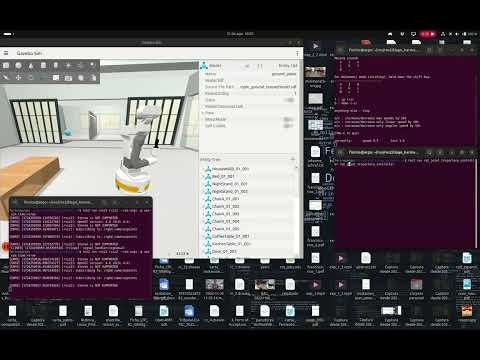
You need to have previously installed ROS2. Please follow this guide if you don't have it.
source /opt/ros/jazzy/setup.bashCreate workspace and clone the repository
mkdir ~/tiago_ws/src
cd ~/tiago_ws/src
git clone https://github.com/Tiago-Harmonic/tiago_harmonic.git -b jazzy
vcs import . < tiago_harmonic/dependencies.repos
Install dependencies and build workspace
cd ~/tiago_ws
sudo rosdep init
rosdep update
rosdep install --from-paths src --ignore-src -r -y
colcon build --symlink-install
Setup the workspace
source ~/tiago_ws/install/setup.bashros2 launch tiago_gazebo tiago_gazebo.launch.py is_public_sim:=True world_name:=house # or emptyVelocity commands are expected on /key_vel:
ros2 run teleop_twist_keyboard teleop_twist_keyboard --ros-args -r /cmd_vel:=/key_velStart SLAM:
ros2 launch tiago_2dnav tiago_nav_bringup.launch.py slam:=True is_public_sim:=TrueThen teleoperate the mobile base to collect map data.
Create a new map directory and save the new map under name our_map into the pal_maps package:
mkdir ~/tiago_ws/src/pal_maps/maps/our_map/
ros2 run nav2_map_server map_saver_cli -f ~/tiago_ws/src/pal_maps/maps/our_map/map
For offline navigation in the saved map, make sure that SLAM is closed and load the saved map with tiago_nav_bringup:
ros2 launch tiago_2dnav tiago_nav_bringup.launch.py is_public_sim:=True world_name:=our_mapIf the new map does not properly load: build and source the workspace. But that should not be needed with --symlink-install.
Then:
- use
Estimate 2D posein RViz to help AMCL to initialize, and perform some teleoperated movements until AMCL particles have converged. - use
2D nav goalin RViz to define a target to navigate to. Make sure that teleoperation does not publish contradictory commands meanwhile.
ros2 launch tiago_moveit_config moveit_rviz.launch.pyThen use the color handles and click on Plan and Execute to trigger trajectory planning and motion.
Ues the MoveItPy boilerplate to send cartesian-space goals or joint-space goals to MoveIt, as well as for gripper open/close commands:
cd ~/tiago_ws/src
git clone https://github.com/Tiago-Harmonic/tiago_moveitpy
cd ~/tiago_ws
rosdep install --from-paths src --ignore-src -r -y
colcon build --symlink-install
The node must be launched through the launchfile so that the planning pipeline is loaded to the parameters:
ros2 launch tiago_moveitpy plan.launch.py use_sim_time:=TrueComment any of the method calls to disable either cartesian-space, joint-space, or gripper motions.