




A production-ready Blazor Server application template built on Clean Architecture principles, offering advanced code generation, AI-assisted development workflows, and enterprise-grade capabilities for building scalable and maintainable systems.
This repository provides a production-grade Blazor Server solution template designed in strict accordance with Clean Architecture principles and modern enterprise application standards.
Built on .NET 10, the template demonstrates a well-structured, scalable, and maintainable architecture for developing complex business systems. It integrates advanced code generation capabilities, AI-assisted development workflows, and specification-driven design patterns, enabling teams to accelerate development while preserving architectural consistency and code quality.
The solution is intended to serve both as a reference implementation for Blazor Clean Architecture best practices and as a ready-to-use foundation for enterprise-level applications that require long-term maintainability, extensibility, and high development efficiency.
- 🏗️ Clean Architecture: Strict layer separation with dependency inversion
- 🎨 Modern UI: Beautiful, responsive interface built with MudBlazor
- ⚡ Real-time Communication: SignalR integration for live updates
- 🔐 Enterprise Security: Multi-factor authentication, role-based access control
- 🌐 Multi-tenancy: Built-in tenant isolation and management
- 📊 Advanced Data Grid: Sorting, filtering, pagination, and export capabilities
- 🎨 Code Generation: Visual Studio extension for rapid development
- 🐳 Docker Ready: Complete containerization support
- 📱 Progressive Web App: PWA capabilities for mobile experience
Experience the application in action:

Live Demo: architecture.blazorserver.com

Enabling collaboration between employers, suppliers, and HR management with integrated attendance, work hours, and billing in a seamless online closed loop.
 BLAZOR PARKING SYSTEM - GitHub | Live Demo
 HSE Management System - GitHub | Live Demo
 EU Digital Product Passport - Live Demo
| Layer | Technologies |
|---|---|
| Frontend | Blazor Server, MudBlazor, SignalR |
| Backend | .NET 10, ASP.NET Core, MediatR, FluentValidation |
| Database | Entity Framework Core, MSSQL/PostgreSQL/SQLite |
| Authentication | ASP.NET Core Identity, OAuth 2.0, JWT |
| Caching | FusionCache, Redis |
| Background Jobs | Hangfire |
| Testing | xUnit, FluentAssertions, Moq |
| DevOps | Docker, GitHub Actions |
┌─────────────────┐    ┌─────────────────┐    ┌─────────────────┐
│   Server.UI     │    │  Application    │    │     Domain      │
│   (Blazor)      │───▶│   (Business)    │───▶│   (Entities)    │
└─────────────────┘    └─────────────────┘    └─────────────────┘
         │                        │
         │              ┌─────────────────┐
         └─────────────▶│ Infrastructure  │
                        │   (Data/IO)     │
                        └─────────────────┘
- Domain: Core business entities and rules (no dependencies)
- Application: Business logic, interfaces, and DTOs
- Infrastructure: External concerns (database, email, file system)
- Server.UI: Blazor components and user interface
The project includes a comprehensive Development Workflow with:
- Task Management: Structured approach to feature development
- Code Review Guidelines: Quality assurance processes
- Testing Strategies: Unit and integration testing patterns
- Deployment Procedures: CI/CD pipeline configurations
- .NET 10 SDK
- Visual Studio 2022 or Rider
- Docker Desktop (optional)
-
Install the Template
dotnet new install CleanArchitecture.Blazor.Solution.Template
-
Create New Project
dotnet new ca-blazorserver-sln -n YourProjectName cd YourProjectName -
Setup Database
dotnet ef database update --project src/Migrators/Migrators.MSSQL
-
Run the Application
dotnet run --project src/Server.UI
-
Access the Application
- Navigate to
https://localhost:7152 - Login with default credentials (see documentation)
- Navigate to
Run with configured database provider (In-Memory removed):
docker run -p 8443:443 \
  -e DatabaseSettings__DBProvider=mssql \
  -e DatabaseSettings__ConnectionString="Server=127.0.0.1;Database=BlazorDashboardDb;User Id=sa;Password=<YourPassword>;MultipleActiveResultSets=true;Encrypt=false;TrustServerCertificate=false" \
  blazordevlab/cleanarchitectureblazorserver:latest
Production Setup (docker compose):
docker-compose up -dSee Docker Setup Documentation for detailed configuration.
- Architecture Guide: Detailed architecture explanation
- Development Workflow: Step-by-step development process
- API Documentation: Complete API reference
- Deployment Guide: Production deployment instructions
- Contributing Guidelines: How to contribute to the project
OpenSpec enables spec-driven, reviewable changes with clear proposals, deltas, and tasks. This repo includes guidance in openspec/AGENTS.md and a project context in openspec/project.md.
- Read the quickstart:
openspec/AGENTS.md - Project conventions and patterns:
openspec/project.md(see "New Entity/Feature Guide (Contacts Pattern)")
- Plan a change
- Review specs and pending changes
openspec list --specsopenspec list
- Pick a unique, verb-led change id (e.g.,
add-customer-management).
- Create the change folder and docs
- Create:
openspec/changes/<change-id>/ - Add files:
proposal.md– Why, What Changes, Impacttasks.md– Implementation checklist- Optional
design.md– Architecture decisions when needed - Spec deltas:
openspec/changes/<change-id>/specs/<capability>/spec.md
- Spec delta format must include sections like:
## ADDED|MODIFIED|REMOVED Requirements- At least one
#### Scenario:per requirement (use the exact header text)
- Validate and iterate
openspec validate <change-id> --strict- Fix any issues before requesting review/approval.
- Implement after approval
- Follow the tasks in
tasks.mdsequentially and mark them complete. - Use the patterns in
openspec/project.md:- For data access in handlers use
IApplicationDbContextFactoryand per-operation context lifetime:await using var db = await _dbContextFactory.CreateAsync(cancellationToken);
- Follow MediatR pipeline behaviors, caching tags, and specification patterns.
- Mirror the Contacts module for a new entity's DTOs, commands, queries, specs, security, and UI pages/components.
- For data access in handlers use
- Archive after deployment
- Move
openspec/changes/<id>/toopenspec/changes/archive/YYYY-MM-DD-<id>/(or use the CLI archive helper if available). - Re-run
openspec validate --strict.
- Change id:
add-customer-management - Files:
openspec/changes/add-customer-management/proposal.mdopenspec/changes/add-customer-management/tasks.mdopenspec/changes/add-customer-management/specs/customers/spec.md
proposal.md skeleton:
## Why
Introduce Customer management to track client records.

## What Changes
- Add Customer entity, CRUD flows, and pages
- Add permissions and navigation

## Impact
- Affected specs: customers
- Affected code: Domain, Application (Contacts-like), Infrastructure, Server.UI
tasks.md sample:
## 1. Implementation
- [ ] 1.1 Domain entity + events
- [ ] 1.2 EF configuration + seeding
- [ ] 1.3 Application commands/queries/specs/security/caching
- [ ] 1.4 UI pages + dialog
- [ ] 1.5 Tests (unit/integration)
Spec delta snippet:
## ADDED Requirements
### Requirement: Manage Customers
The system SHALL allow users to create, edit, view, list, and delete customers with proper authorization.

#### Scenario: Create customer
- **WHEN** a user submits a valid form
- **THEN** the system saves the customer and returns an id
Tips
- Use Contacts as the reference implementation for structure and conventions.
- Add menu entries in
src/Server.UI/Services/Navigation/MenuService.cs. - Define permissions under
Permissions.<Module>and they'll be picked up during seeding.
Accelerate development with the Visual Studio extension:
- CleanArchitecture CodeGenerator
- Automatically generates layers for new entities
- Maintains architectural consistency
- Reduces boilerplate code by 80%
2022.mp4
| Database | Provider Name | Status |
|---|---|---|
| SQL Server | mssql |
✅ Fully Supported |
| PostgreSQL | postgresql |
✅ Fully Supported |
| SQLite | sqlite |
✅ Fully Supported |
Configure in appsettings.json:
{
  "DatabaseSettings": {
    "DBProvider": "mssql",
    "ConnectionString": "Server=localhost;Database=YourDb;Trusted_Connection=true;"
  }
}Configure OAuth providers in appsettings.json:
- Microsoft: Setup Guide
- Google: Setup Guide
- Facebook: Setup Guide
- Twitter: Setup Guide
docker pull blazordevlab/cleanarchitectureblazorserver:latestFor Development:
docker run -p 8443:443 -e ASPNETCORE_ENVIRONMENT=Development -e ASPNETCORE_HTTPS_PORTS=443 \
  -e DatabaseSettings__DBProvider=mssql \
  -e DatabaseSettings__ConnectionString="Server=127.0.0.1;Database=BlazorDashboardDb;User Id=sa;Password=<YourPassword>;MultipleActiveResultSets=true;Encrypt=false;TrustServerCertificate=false" \
  blazordevlab/cleanarchitectureblazorserver:latest
For Production (Persistent Database and SMTP Configuration):
docker run -d -p 8443:443 \
-e ASPNETCORE_ENVIRONMENT=Development \
-e ASPNETCORE_HTTP_PORTS=80 \
-e ASPNETCORE_HTTPS_PORTS=443 \
-e DatabaseSettings__DBProvider=mssql \
-e DatabaseSettings__ConnectionString="Server=127.0.0.1;Database=BlazorDashboardDb;User Id=sa;Password=<YourPassword>;MultipleActiveResultSets=true;Encrypt=false;TrustServerCertificate=false" \
-e SmtpClientOptions__User=<YourSMTPUser> \
-e SmtpClientOptions__Port=25 \
-e SmtpClientOptions__Server=<YourSMTPServer> \
-e SmtpClientOptions__Password=<YourSMTPPassword> \
-e Authentication__Microsoft__ClientId=<YourMicrosoftClientId> \
-e Authentication__Microsoft__ClientSecret=<YourMicrosoftClientSecret> \
-e Authentication__Google__ClientId=<YourGoogleClientId> \
-e Authentication__Google__ClientSecret=<YourGoogleClientSecret> \
-e Authentication__Facebook__AppId=<YourFacebookAppId> \
-e Authentication__Facebook__AppSecret=<YourFacebookAppSecret> \
blazordevlab/cleanarchitectureblazorserver:latestFor easier management, use a docker-compose.yml file:
version: '3.8'
services:
  blazorserverapp:
    image: blazordevlab/cleanarchitectureblazorserver:latest
    environment:
      - ASPNETCORE_ENVIRONMENT=Development
      - ASPNETCORE_URLS=http://+:80;https://+:443
      - ASPNETCORE_HTTP_PORTS=80
      - ASPNETCORE_HTTPS_PORTS=443
      - DatabaseSettings__DBProvider=mssql
      - DatabaseSettings__ConnectionString=Server=127.0.0.1;Database=BlazorDashboardDb;User Id=sa;Password=***;MultipleActiveResultSets=true;Encrypt=false;TrustServerCertificate=false
      - SmtpClientOptions__User=<YourSMTPUser>
      - SmtpClientOptions__Port=25
      - SmtpClientOptions__Server=<YourSMTPServer>
      - SmtpClientOptions__Password=<YourSMTPPassword>
      - Authentication__Microsoft__ClientId=<YourMicrosoftClientId>
      - Authentication__Microsoft__ClientSecret=<YourMicrosoftClientSecret>
      - Authentication__Google__ClientId=<YourGoogleClientId>
      - Authentication__Google__ClientSecret=<YourGoogleClientSecret>
      - Authentication__Facebook__AppId=<YourFacebookAppId>
      - Authentication__Facebook__AppSecret=<YourFacebookAppSecret>
    ports:
      - "8443:443"
    volumes:
      - files_volume:/app/Files

  mssql:
    image: mcr.microsoft.com/mssql/server:2022-latest
    environment:
      - ACCEPT_EULA=Y
      - SA_PASSWORD=YourStrongPassword!
    ports:
      - "1433:1433"
    volumes:
      - mssql_data:/var/opt/mssql

volumes:
  files_volume:
mssql_data:We welcome contributions! Please see our Contributing Guidelines for details.
- Fork the repository
- Create a feature branch
- Make your changes
- Add tests
- Submit a pull request
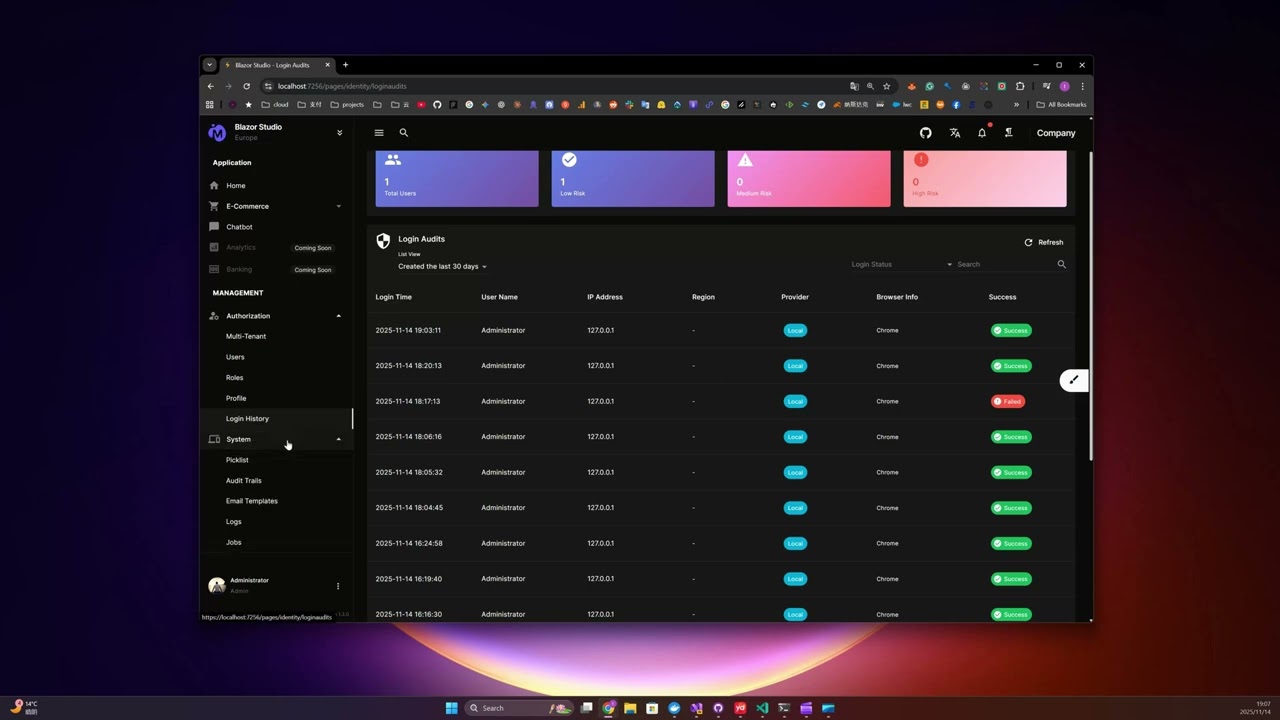
 Tutorial: Adding a Contact Entity
 Tutorial: Removing a Customer Object
- CleanAspire: Blazor WebAssembly version with .NET Aspire
- CleanArchitecture CodeGenerator: Visual Studio extension
Visit my website for more Blazor resources and professional services:
BlazorServer.com - Blazor Development Services & Resources
If this project helps you, please consider supporting its development:
- ⭐ Star this repository
- 🐛 Report issues
- 💡 Suggest features
- 💰 Sponsor: GitHub Sponsors | PayPal
Your support helps maintain and improve this project. Thank you! 🙏
This project is licensed under the MIT License - see the LICENSE file for details.
Built with ❤️ using Clean Architecture principles