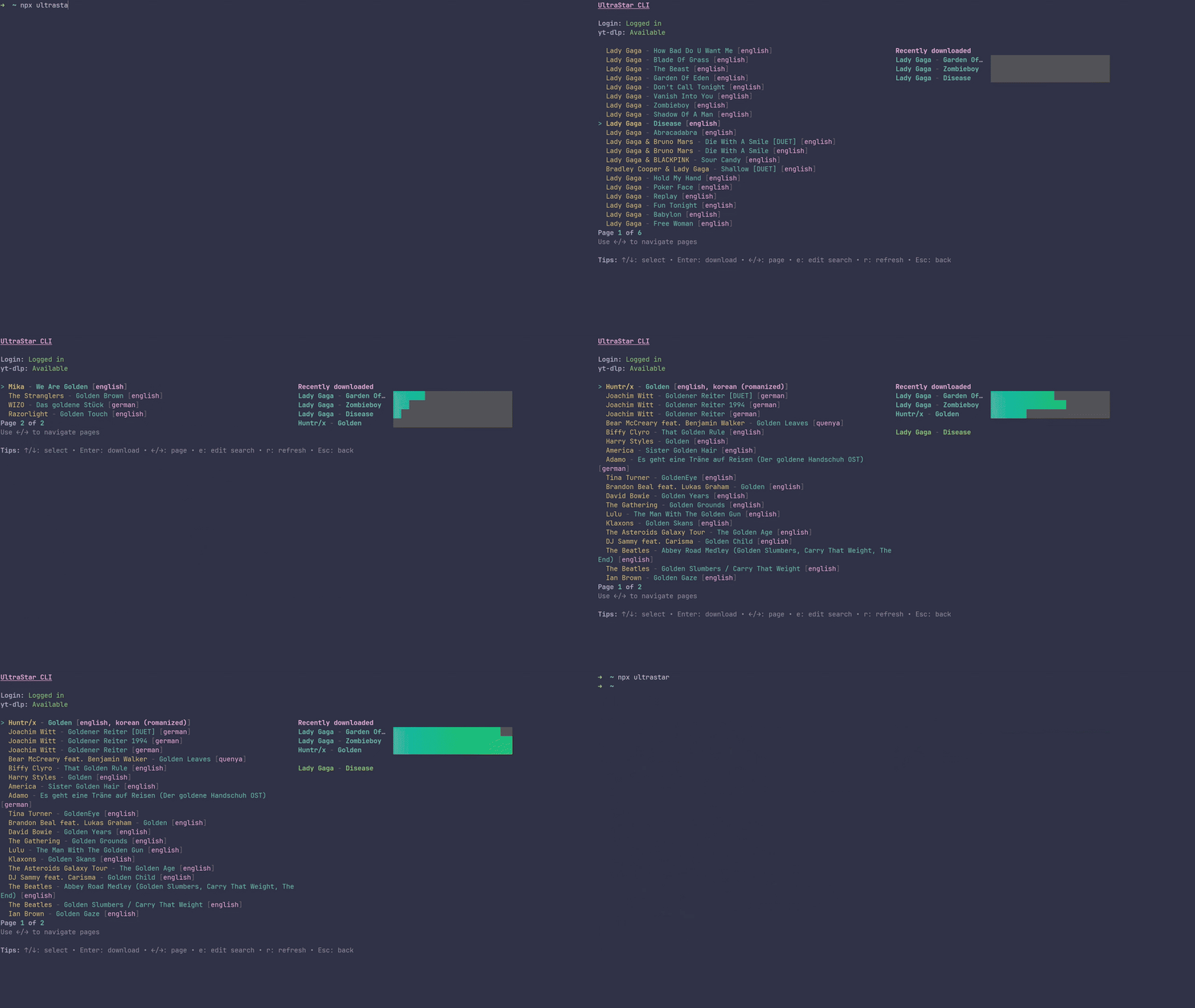
UltraStar CLI is the fastest way to build your UltraStar song library. Search the biggest UltraStar database, preview results, and download complete, ready-to-sing folders in one go — lyrics, cover, and video included. No manual stitching. No messy files. Just search, hit Enter, and sing.
Why it’s awesome:
- Blazing fast TUI powered by Ink (React for terminals)
- Pulls from the largest UltraStar DB and auto-fills YouTube links when needed
- Downloads video via
yt-dlpwith a smooth progress bar - Writes proper UltraStar
song.txtheaders and savescover.jpg+video.mp4 - Smart session: securely creates and stores credentials automatically
- Cross‑platform: Linux, macOS, Windows
- yt-dlp (for downloading videos + audio)
- Either npm (Node.js) or Bun (recommended)
- macOS:
brew install yt-dlporpipx install yt-dlp - Windows:
winget install yt-dlp.yt-dlporchoco install yt-dlporpipx install yt-dlp - Linux: Use your package manager (e.g.
apt install yt-dlp,dnf install yt-dlp,pacman -S yt-dlp) orpipx install yt-dlp
If you need more options, see https://github.com/yt-dlp/yt-dlp#installation.
- Node.js (for npm): We recommend installing via nvm:
https://github.com/nvm-sh/nvm - Bun (recommended):
curl -fsSL https://bun.sh/install | bashor seehttps://bun.sh
Run directly with your favorite package runner:
npx ultrastarbunx --bun ultrastarThe first run will check yt-dlp and initialize a session. Use the search form, pick a song, and press Enter to download. Your songs will be saved under ./songs/Artist - Title/.
- In search form: Tab = switch field, Enter = search, Esc = quit
- In results: ↑/↓ = select, Enter = download, ←/→ = page, e = edit search, r = refresh, Esc = back
- https://usdb.animux.de - The biggest database of UltraStar songs (lyrics only)
- https://ultrastar-es.org/ – Smaller database of songs, includes audio and video. You can download UltraStar WorldParty here.
- Searches songs on USDB
- Resolves a YouTube link from USDB when available; otherwise searches YouTube
- Downloads the video with yt-dlp while showing progress
- Fetches cover art and lyrics, and writes a proper UltraStar
song.txt - Outputs a complete folder per song:
song.txt,cover.jpg,video.mp4
This project uses Bun. You can still run the built CLI with Node, but development is Bun-first.
bun installbun run startbun run build
# Artifacts are written to ./build/distnode build/dist/index.js
# or
bun build/dist/index.js
# or on Unix systems (shebang-enabled):
./build/dist/index.jsbun run lint
bun run formatsrc/ui/– TUI (Ink) components and interactionssrc/api/– USDB and YouTube integrations (search, download, auth)src/storage/– Local cache: credentials, downloaded song listsrc/build.ts– Build script (Bun bundler)
- yt-dlp not found: Install it and ensure it’s on your PATH, then re-run the CLI
- No results: Try different keywords or fewer filters (artist/title)
- Permission issues writing songs: Run in a directory you own or adjust permissions