




Welcome to the magical world of Diffusion models! DiffSynth-Studio is an open-source Diffusion model engine developed and maintained by the ModelScope Community. We hope to foster technological innovation through framework construction, aggregate the power of the open-source community, and explore the boundaries of generative model technology!
DiffSynth currently includes two open-source projects:
- DiffSynth-Studio: Focused on aggressive technical exploration, targeting academia, and providing cutting-edge model capability support.
- DiffSynth-Engine: Focused on stable model deployment, targeting industry, and providing higher computational performance and more stable features.
DiffSynth-Studio and DiffSynth-Engine are the core engines of the ModelScope AIGC zone. Welcome to experience our carefully crafted productized features:
- ModelScope AIGC Zone (for Chinese users): https://modelscope.cn/aigc/home
- ModelScope Civision (for global users): https://modelscope.ai/civision/home
DiffSynth-Studio Documentation: 中文版、English version
We believe that a well-developed open-source code framework can lower the threshold for technical exploration. We have achieved many interesting technologies based on this codebase. Perhaps you also have many wild ideas, and with DiffSynth-Studio, you can quickly realize these ideas. For this reason, we have prepared detailed documentation for developers. We hope that through these documents, developers can understand the principles of Diffusion models, and we look forward to expanding the boundaries of technology together with you.
DiffSynth-Studio has undergone major version updates, and some old features are no longer maintained. If you need to use old features, please switch to the last historical version before the major version update.
Currently, the development personnel of this project are limited, with most of the work handled by Artiprocher. Therefore, the progress of new feature development will be relatively slow, and the speed of responding to and resolving issues is limited. We apologize for this and ask developers to understand.
-
December 9, 2025 We release a wild model based on DiffSynth-Studio 2.0: Qwen-Image-i2L (Image-to-LoRA). This model takes an image as input and outputs a LoRA. Although this version still has significant room for improvement in terms of generalization, detail preservation, and other aspects, we are open-sourcing these models to inspire more innovative research.
-
December 4, 2025 DiffSynth-Studio 2.0 released! Many new features online
- Documentation online: Our documentation is still continuously being optimized and updated
- VRAM Management module upgraded, supporting layer-level disk offload, releasing both memory and VRAM simultaneously
- New model support
- Z-Image Turbo: Model, Documentation, Code
- FLUX.2-dev: Model, Documentation, Code
- Training framework upgrade
- Split Training: Supports automatically splitting the training process into two stages: data processing and training (even for training ControlNet or any other model). Computations that do not require gradient backpropagation, such as text encoding and VAE encoding, are performed during the data processing stage, while other computations are handled during the training stage. Faster speed, less VRAM requirement.
- Differential LoRA Training: This is a training technique we used in ArtAug, now available for LoRA training of any model.
- FP8 Training: FP8 can be applied to any non-training model during training, i.e., models with gradients turned off or gradients that only affect LoRA weights.
More
-
November 4, 2025 Supported the ByteDance/Video-As-Prompt-Wan2.1-14B model, which is trained based on Wan 2.1 and supports generating corresponding actions based on reference videos.
-
October 30, 2025 Supported the meituan-longcat/LongCat-Video model, which supports text-to-video, image-to-video, and video continuation. This model uses the Wan framework for inference and training in this project.
-
October 27, 2025 Supported the krea/krea-realtime-video model, adding another member to the Wan model ecosystem.
-
September 23, 2025 DiffSynth-Studio/Qwen-Image-EliGen-Poster released! This model was jointly developed and open-sourced by us and Taobao Experience Design Team. Built upon Qwen-Image, the model is specifically designed for e-commerce poster scenarios, supporting precise partition layout control. Please refer to our sample code.
-
September 9, 2025 Our training framework supports various training modes. Currently adapted for Qwen-Image, in addition to the standard SFT training mode, Direct Distill is now supported. Please refer to our sample code. This feature is experimental, and we will continue to improve it to support more comprehensive model training functions.
-
August 28, 2025 We support Wan2.2-S2V, an audio-driven cinematic video generation model. See ./examples/wanvideo/.
-
August 21, 2025 DiffSynth-Studio/Qwen-Image-EliGen-V2 released! Compared to the V1 version, the training dataset has been changed to Qwen-Image-Self-Generated-Dataset, so the generated images better conform to Qwen-Image's own image distribution and style. Please refer to our sample code.
-
August 21, 2025 We open-sourced the DiffSynth-Studio/Qwen-Image-In-Context-Control-Union structural control LoRA model, adopting the In Context technical route, supporting multiple categories of structural control conditions, including canny, depth, lineart, softedge, normal, and openpose. Please refer to our sample code.
-
August 20, 2025 We open-sourced the DiffSynth-Studio/Qwen-Image-Edit-Lowres-Fix model, improving the editing effect of Qwen-Image-Edit on low-resolution image inputs. Please refer to our sample code
-
August 19, 2025 🔥 Qwen-Image-Edit open-sourced, welcome a new member to the image editing model family!
-
August 18, 2025 We trained and open-sourced the Qwen-Image inpainting ControlNet model DiffSynth-Studio/Qwen-Image-Blockwise-ControlNet-Inpaint. The model structure adopts a lightweight design. Please refer to our sample code.
-
August 15, 2025 We open-sourced the Qwen-Image-Self-Generated-Dataset dataset. This is an image dataset generated using the Qwen-Image model, containing 160,000
1024 x 1024images. It includes general, English text rendering, and Chinese text rendering subsets. We provide annotations for image descriptions, entities, and structural control images for each image. Developers can use this dataset to train Qwen-Image models' ControlNet and EliGen models. We aim to promote technological development through open-sourcing! -
August 13, 2025 We trained and open-sourced the Qwen-Image ControlNet model DiffSynth-Studio/Qwen-Image-Blockwise-ControlNet-Depth. The model structure adopts a lightweight design. Please refer to our sample code.
-
August 12, 2025 We trained and open-sourced the Qwen-Image ControlNet model DiffSynth-Studio/Qwen-Image-Blockwise-ControlNet-Canny. The model structure adopts a lightweight design. Please refer to our sample code.
-
August 11, 2025 We open-sourced the distilled acceleration model DiffSynth-Studio/Qwen-Image-Distill-LoRA for Qwen-Image, following the same training process as DiffSynth-Studio/Qwen-Image-Distill-Full, but the model structure has been modified to LoRA, thus being better compatible with other open-source ecosystem models.
-
August 7, 2025 We open-sourced the entity control LoRA model DiffSynth-Studio/Qwen-Image-EliGen for Qwen-Image. Qwen-Image-EliGen can achieve entity-level controlled text-to-image generation. Technical details can be found in the paper. Training dataset: EliGenTrainSet.
-
August 5, 2025 We open-sourced the distilled acceleration model DiffSynth-Studio/Qwen-Image-Distill-Full for Qwen-Image, achieving approximately 5x acceleration.
-
August 4, 2025 🔥 Qwen-Image open-sourced, welcome a new member to the image generation model family!
-
August 1, 2025 FLUX.1-Krea-dev open-sourced, a text-to-image model focused on aesthetic photography. We provided comprehensive support in a timely manner, including low VRAM layer-by-layer offload, LoRA training, and full training. For more details, please refer to ./examples/flux/.
-
July 28, 2025 Wan 2.2 open-sourced. We provided comprehensive support in a timely manner, including low VRAM layer-by-layer offload, FP8 quantization, sequence parallelism, LoRA training, and full training. For more details, please refer to ./examples/wanvideo/.
-
July 11, 2025 We propose Nexus-Gen, a unified framework that combines the language reasoning capabilities of Large Language Models (LLMs) with the image generation capabilities of diffusion models. This framework supports seamless image understanding, generation, and editing tasks.
- Paper: Nexus-Gen: Unified Image Understanding, Generation, and Editing via Prefilled Autoregression in Shared Embedding Space
- GitHub Repository: https://github.com/modelscope/Nexus-Gen
- Model: ModelScope, HuggingFace
- Training Dataset: ModelScope Dataset
- Online Experience: ModelScope Nexus-Gen Studio
-
June 15, 2025 ModelScope's official evaluation framework EvalScope now supports text-to-image generation evaluation. Please refer to the best practices guide to try it out.
-
March 25, 2025 Our new open-source project DiffSynth-Engine is now open-sourced! Focused on stable model deployment, targeting industry, providing better engineering support, higher computational performance, and more stable features.
-
March 31, 2025 We support InfiniteYou, a face feature preservation method for FLUX. More details can be found in ./examples/InfiniteYou/.
-
March 13, 2025 We support HunyuanVideo-I2V, the image-to-video generation version of Tencent's open-source HunyuanVideo. More details can be found in ./examples/HunyuanVideo/.
-
February 25, 2025 We support Wan-Video, a series of state-of-the-art video synthesis models open-sourced by Alibaba. See ./examples/wanvideo/.
-
February 17, 2025 We support StepVideo! Advanced video synthesis model! See ./examples/stepvideo.
-
December 31, 2024 We propose EliGen, a new framework for entity-level controlled text-to-image generation, supplemented with an inpainting fusion pipeline, extending its capabilities to image inpainting tasks. EliGen can seamlessly integrate existing community models such as IP-Adapter and In-Context LoRA, enhancing their versatility. For more details, see ./examples/EntityControl.
- Paper: EliGen: Entity-Level Controlled Image Generation with Regional Attention
- Model: ModelScope, HuggingFace
- Online Experience: ModelScope EliGen Studio
- Training Dataset: EliGen Train Set
-
December 19, 2024 We implemented advanced VRAM management for HunyuanVideo, enabling video generation with resolutions of 129x720x1280 on 24GB VRAM or 129x512x384 on just 6GB VRAM. More details can be found in ./examples/HunyuanVideo/.
-
December 18, 2024 We propose ArtAug, a method to improve text-to-image models through synthesis-understanding interaction. We trained an ArtAug enhancement module for FLUX.1-dev in LoRA format. This model incorporates the aesthetic understanding of Qwen2-VL-72B into FLUX.1-dev, thereby improving the quality of generated images.
- Paper: https://arxiv.org/abs/2412.12888
- Example: https://github.com/modelscope/DiffSynth-Studio/tree/main/examples/ArtAug
- Model: ModelScope, HuggingFace
- Demo: ModelScope, HuggingFace (coming soon)
-
October 25, 2024 We provide extensive FLUX ControlNet support. This project supports many different ControlNet models and can be freely combined, even if their structures are different. Additionally, ControlNet models are compatible with high-resolution optimization and partition control technologies, enabling very powerful controllable image generation. See
./examples/ControlNet/. -
October 8, 2024 We released extended LoRAs based on CogVideoX-5B and ExVideo. You can download this model from ModelScope or HuggingFace.
-
August 22, 2024 This project now supports CogVideoX-5B. See here. We provide several interesting features for this text-to-video model, including:
- Text-to-video
- Video editing
- Self super-resolution
- Video interpolation
-
August 22, 2024 We implemented an interesting brush feature that supports all text-to-image models. Now you can create stunning images with the assistance of AI using the brush!
- Use it in our WebUI.
-
August 21, 2024 DiffSynth-Studio now supports FLUX.
- Enable CFG and high-resolution inpainting to improve visual quality. See here
- LoRA, ControlNet, and other addon models will be released soon.
-
June 21, 2024 We propose ExVideo, a post-training fine-tuning technique aimed at enhancing the capabilities of video generation models. We extended Stable Video Diffusion to achieve long video generation of up to 128 frames.
- Project Page
- Source code has been released in this repository. See
examples/ExVideo. - Model has been released at HuggingFace and ModelScope.
- Technical report has been released at arXiv.
- You can try ExVideo in this demo!
-
June 13, 2024 DiffSynth Studio has migrated to ModelScope. The development team has also transitioned from "me" to "us". Of course, I will still participate in subsequent development and maintenance work.
-
January 29, 2024 We propose Diffutoon, an excellent cartoon coloring solution.
- Project Page
- Source code has been released in this project.
- Technical report (IJCAI 2024) has been released at arXiv.
-
December 8, 2023 We decided to initiate a new project aimed at unleashing the potential of diffusion models, especially in video synthesis. The development work of this project officially began.
-
November 15, 2023 We propose FastBlend, a powerful video deflickering algorithm.
-
October 1, 2023 We released an early version of the project named FastSDXL. This was an initial attempt to build a diffusion engine.
- Source code has been released at GitHub.
- FastSDXL includes a trainable OLSS scheduler to improve efficiency.
-
August 29, 2023 We propose DiffSynth, a video synthesis framework.
- Project Page.
- Source code has been released at EasyNLP.
- Technical report (ECML PKDD 2024) has been released at arXiv.
Install from source (recommended):
git clone https://github.com/modelscope/DiffSynth-Studio.git
cd DiffSynth-Studio
pip install -e .
Other installation methods
Install from PyPI (version updates may be delayed; for latest features, install from source)
pip install diffsynth
If you meet problems during installation, they might be caused by upstream dependencies. Please check the docs of these packages:
DiffSynth-Studio redesigns the inference and training pipelines for mainstream Diffusion models (including FLUX, Wan, etc.), enabling efficient memory management and flexible model training.
Environment Variable Configuration
Before running model inference or training, you can configure settings such as the model download source via environment variables.
By default, this project downloads models from ModelScope. For users outside China, you can configure the system to download models from the ModelScope international site as follows:
import os
os.environ["MODELSCOPE_DOMAIN"] = "www.modelscope.ai"
To download models from other sources, please modify the environment variable DIFFSYNTH_DOWNLOAD_SOURCE.

Z-Image: /docs/en/Model_Details/Z-Image.md
Quick Start
Running the following code will quickly load the Tongyi-MAI/Z-Image-Turbo model for inference. FP8 quantization significantly degrades image quality, so we do not recommend enabling any quantization for the Z-Image Turbo model. CPU offloading is recommended, and the model can run with as little as 8 GB of GPU memory.
from diffsynth.pipelines.z_image import ZImagePipeline, ModelConfig
import torch

vram_config = {
    "offload_dtype": torch.bfloat16,
    "offload_device": "cpu",
    "onload_dtype": torch.bfloat16,
    "onload_device": "cpu",
    "preparing_dtype": torch.bfloat16,
    "preparing_device": "cuda",
    "computation_dtype": torch.bfloat16,
    "computation_device": "cuda",
}
pipe = ZImagePipeline.from_pretrained(
    torch_dtype=torch.bfloat16,
    device="cuda",
    model_configs=[
        ModelConfig(model_id="Tongyi-MAI/Z-Image-Turbo", origin_file_pattern="transformer/*.safetensors", **vram_config),
        ModelConfig(model_id="Tongyi-MAI/Z-Image-Turbo", origin_file_pattern="text_encoder/*.safetensors", **vram_config),
        ModelConfig(model_id="Tongyi-MAI/Z-Image-Turbo", origin_file_pattern="vae/diffusion_pytorch_model.safetensors", **vram_config),
    ],
    tokenizer_config=ModelConfig(model_id="Tongyi-MAI/Z-Image-Turbo", origin_file_pattern="tokenizer/"),
    vram_limit=torch.cuda.mem_get_info("cuda")[1] / (1024 ** 3) - 0.5,
)
prompt = "Young Chinese woman in red Hanfu, intricate embroidery. Impeccable makeup, red floral forehead pattern. Elaborate high bun, golden phoenix headdress, red flowers, beads. Holds round folding fan with lady, trees, bird. Neon lightning-bolt lamp (⚡️), bright yellow glow, above extended left palm. Soft-lit outdoor night background, silhouetted tiered pagoda (西安大雁塔), blurred colorful distant lights."
image = pipe(prompt=prompt, seed=42, rand_device="cuda")
image.save("image.jpg")
Examples
Example code for Z-Image is available at: /examples/z_image/
| Model ID | Inference | Low-VRAM Inference | Full Training | Full Training Validation | LoRA Training | LoRA Training Validation |
|---|---|---|---|---|---|---|
| Tongyi-MAI/Z-Image-Turbo | code | code | code | code | code | code |
FLUX.2: /docs/en/Model_Details/FLUX2.md
Quick Start
Running the following code will quickly load the black-forest-labs/FLUX.2-dev model for inference. VRAM management is enabled, and the framework automatically loads model parameters based on available GPU memory. The model can run with as little as 10 GB of VRAM.
from diffsynth.pipelines.flux2_image import Flux2ImagePipeline, ModelConfig
import torch

vram_config = {
    "offload_dtype": "disk",
    "offload_device": "disk",
    "onload_dtype": torch.float8_e4m3fn,
    "onload_device": "cpu",
    "preparing_dtype": torch.float8_e4m3fn,
    "preparing_device": "cuda",
    "computation_dtype": torch.bfloat16,
    "computation_device": "cuda",
}
pipe = Flux2ImagePipeline.from_pretrained(
    torch_dtype=torch.bfloat16,
    device="cuda",
    model_configs=[
        ModelConfig(model_id="black-forest-labs/FLUX.2-dev", origin_file_pattern="text_encoder/*.safetensors", **vram_config),
        ModelConfig(model_id="black-forest-labs/FLUX.2-dev", origin_file_pattern="transformer/*.safetensors", **vram_config),
        ModelConfig(model_id="black-forest-labs/FLUX.2-dev", origin_file_pattern="vae/diffusion_pytorch_model.safetensors"),
    ],
    tokenizer_config=ModelConfig(model_id="black-forest-labs/FLUX.2-dev", origin_file_pattern="tokenizer/"),
    vram_limit=torch.cuda.mem_get_info("cuda")[1] / (1024 ** 3) - 0.5,
)
prompt = "High resolution. A dreamy underwater portrait of a serene young woman in a flowing blue dress. Her hair floats softly around her face, strands delicately suspended in the water. Clear, shimmering light filters through, casting gentle highlights, while tiny bubbles rise around her. Her expression is calm, her features finely detailed—creating a tranquil, ethereal scene."
image = pipe(prompt, seed=42, rand_device="cuda", num_inference_steps=50)
image.save("image.jpg")
Examples
Example code for FLUX.2 is available at: /examples/flux2/
| Model ID | Inference | Low-VRAM Inference | LoRA Training | LoRA Training Validation |
|---|---|---|---|---|
| black-forest-labs/FLUX.2-dev | code | code | code | code |
Qwen-Image: /docs/en/Model_Details/Qwen-Image.md
Quick Start
Running the following code will quickly load the Qwen/Qwen-Image model for inference. VRAM management is enabled, and the framework automatically adjusts model parameter loading based on available GPU memory. The model can run with as little as 8 GB of VRAM.
from diffsynth.pipelines.qwen_image import QwenImagePipeline, ModelConfig
import torch

vram_config = {
    "offload_dtype": "disk",
    "offload_device": "disk",
    "onload_dtype": torch.float8_e4m3fn,
    "onload_device": "cpu",
    "preparing_dtype": torch.float8_e4m3fn,
    "preparing_device": "cuda",
    "computation_dtype": torch.bfloat16,
    "computation_device": "cuda",
}
pipe = QwenImagePipeline.from_pretrained(
    torch_dtype=torch.bfloat16,
    device="cuda",
    model_configs=[
        ModelConfig(model_id="Qwen/Qwen-Image", origin_file_pattern="transformer/diffusion_pytorch_model*.safetensors", **vram_config),
        ModelConfig(model_id="Qwen/Qwen-Image", origin_file_pattern="text_encoder/model*.safetensors", **vram_config),
        ModelConfig(model_id="Qwen/Qwen-Image", origin_file_pattern="vae/diffusion_pytorch_model.safetensors", **vram_config),
    ],
    tokenizer_config=ModelConfig(model_id="Qwen/Qwen-Image", origin_file_pattern="tokenizer/"),
    vram_limit=torch.cuda.mem_get_info("cuda")[1] / (1024 ** 3) - 0.5,
)
prompt = "精致肖像,水下少女,蓝裙飘逸,发丝轻扬,光影透澈,气泡环绕,面容恬静,细节精致,梦幻唯美。"
image = pipe(prompt, seed=0, num_inference_steps=40)
image.save("image.jpg")
Model Lineage
graph LR;
    Qwen/Qwen-Image-->Qwen/Qwen-Image-Edit;
    Qwen/Qwen-Image-Edit-->Qwen/Qwen-Image-Edit-2509;
    Qwen/Qwen-Image-->EliGen-Series;
    EliGen-Series-->DiffSynth-Studio/Qwen-Image-EliGen;
    DiffSynth-Studio/Qwen-Image-EliGen-->DiffSynth-Studio/Qwen-Image-EliGen-V2;
    EliGen-Series-->DiffSynth-Studio/Qwen-Image-EliGen-Poster;
    Qwen/Qwen-Image-->Distill-Series;
    Distill-Series-->DiffSynth-Studio/Qwen-Image-Distill-Full;
    Distill-Series-->DiffSynth-Studio/Qwen-Image-Distill-LoRA;
    Qwen/Qwen-Image-->ControlNet-Series;
    ControlNet-Series-->Blockwise-ControlNet-Series;
    Blockwise-ControlNet-Series-->DiffSynth-Studio/Qwen-Image-Blockwise-ControlNet-Canny;
    Blockwise-ControlNet-Series-->DiffSynth-Studio/Qwen-Image-Blockwise-ControlNet-Depth;
    Blockwise-ControlNet-Series-->DiffSynth-Studio/Qwen-Image-Blockwise-ControlNet-Inpaint;
    ControlNet-Series-->DiffSynth-Studio/Qwen-Image-In-Context-Control-Union;
    Qwen/Qwen-Image-->DiffSynth-Studio/Qwen-Image-Edit-Lowres-Fix;
Examples
Example code for Qwen-Image is available at: /examples/qwen_image/
FLUX.1: /docs/en/Model_Details/FLUX.md
Quick Start
Running the following code will quickly load the black-forest-labs/FLUX.1-dev model for inference. VRAM management is enabled, and the framework automatically adjusts model parameter loading based on available GPU memory. The model can run with as little as 8 GB of VRAM.
import torch
from diffsynth.pipelines.flux_image import FluxImagePipeline, ModelConfig

vram_config = {
    "offload_dtype": torch.float8_e4m3fn,
    "offload_device": "cpu",
    "onload_dtype": torch.float8_e4m3fn,
    "onload_device": "cpu",
    "preparing_dtype": torch.float8_e4m3fn,
    "preparing_device": "cuda",
    "computation_dtype": torch.bfloat16,
    "computation_device": "cuda",
}
pipe = FluxImagePipeline.from_pretrained(
    torch_dtype=torch.bfloat16,
    device="cuda",
    model_configs=[
        ModelConfig(model_id="black-forest-labs/FLUX.1-dev", origin_file_pattern="flux1-dev.safetensors", **vram_config),
        ModelConfig(model_id="black-forest-labs/FLUX.1-dev", origin_file_pattern="text_encoder/model.safetensors", **vram_config),
        ModelConfig(model_id="black-forest-labs/FLUX.1-dev", origin_file_pattern="text_encoder_2/*.safetensors", **vram_config),
        ModelConfig(model_id="black-forest-labs/FLUX.1-dev", origin_file_pattern="ae.safetensors", **vram_config),
    ],
    vram_limit=torch.cuda.mem_get_info("cuda")[1] / (1024 ** 3) - 1,
)
prompt = "CG, masterpiece, best quality, solo, long hair, wavy hair, silver hair, blue eyes, blue dress, medium breasts, dress, underwater, air bubble, floating hair, refraction, portrait. The girl's flowing silver hair shimmers with every color of the rainbow and cascades down, merging with the floating flora around her."
image = pipe(prompt=prompt, seed=0)
image.save("image.jpg")
Model Lineage
graph LR;
    FLUX.1-Series-->black-forest-labs/FLUX.1-dev;
    FLUX.1-Series-->black-forest-labs/FLUX.1-Krea-dev;
    FLUX.1-Series-->black-forest-labs/FLUX.1-Kontext-dev;
    black-forest-labs/FLUX.1-dev-->FLUX.1-dev-ControlNet-Series;
    FLUX.1-dev-ControlNet-Series-->alimama-creative/FLUX.1-dev-Controlnet-Inpainting-Beta;
    FLUX.1-dev-ControlNet-Series-->InstantX/FLUX.1-dev-Controlnet-Union-alpha;
    FLUX.1-dev-ControlNet-Series-->jasperai/Flux.1-dev-Controlnet-Upscaler;
    black-forest-labs/FLUX.1-dev-->InstantX/FLUX.1-dev-IP-Adapter;
    black-forest-labs/FLUX.1-dev-->ByteDance/InfiniteYou;
    black-forest-labs/FLUX.1-dev-->DiffSynth-Studio/Eligen;
    black-forest-labs/FLUX.1-dev-->DiffSynth-Studio/LoRA-Encoder-FLUX.1-Dev;
    black-forest-labs/FLUX.1-dev-->DiffSynth-Studio/LoRAFusion-preview-FLUX.1-dev;
    black-forest-labs/FLUX.1-dev-->ostris/Flex.2-preview;
    black-forest-labs/FLUX.1-dev-->stepfun-ai/Step1X-Edit;
    Qwen/Qwen2.5-VL-7B-Instruct-->stepfun-ai/Step1X-Edit;
    black-forest-labs/FLUX.1-dev-->DiffSynth-Studio/Nexus-GenV2;
    Qwen/Qwen2.5-VL-7B-Instruct-->DiffSynth-Studio/Nexus-GenV2;
Examples
Example code for FLUX.1 is available at: /examples/flux/
video1.mp4
Quick Start
Running the following code will quickly load the Wan-AI/Wan2.1-T2V-1.3B model for inference. VRAM management is enabled, and the framework automatically adjusts model parameter loading based on available GPU memory. The model can run with as little as 8 GB of VRAM.
import torch
from diffsynth.utils.data import save_video, VideoData
from diffsynth.pipelines.wan_video import WanVideoPipeline, ModelConfig

vram_config = {
    "offload_dtype": "disk",
    "offload_device": "disk",
    "onload_dtype": torch.bfloat16,
    "onload_device": "cpu",
    "preparing_dtype": torch.bfloat16,
    "preparing_device": "cuda",
    "computation_dtype": torch.bfloat16,
    "computation_device": "cuda",
}
pipe = WanVideoPipeline.from_pretrained(
    torch_dtype=torch.bfloat16,
    device="cuda",
    model_configs=[
        ModelConfig(model_id="Wan-AI/Wan2.1-T2V-1.3B", origin_file_pattern="diffusion_pytorch_model*.safetensors", **vram_config),
        ModelConfig(model_id="Wan-AI/Wan2.1-T2V-1.3B", origin_file_pattern="models_t5_umt5-xxl-enc-bf16.pth", **vram_config),
        ModelConfig(model_id="Wan-AI/Wan2.1-T2V-1.3B", origin_file_pattern="Wan2.1_VAE.pth", **vram_config),
    ],
    tokenizer_config=ModelConfig(model_id="Wan-AI/Wan2.1-T2V-1.3B", origin_file_pattern="google/umt5-xxl/"),
    vram_limit=torch.cuda.mem_get_info("cuda")[1] / (1024 ** 3) - 2,
)

video = pipe(
    prompt="纪实摄影风格画面,一只活泼的小狗在绿茵茵的草地上迅速奔跑。小狗毛色棕黄,两只耳朵立起,神情专注而欢快。阳光洒在它身上,使得毛发看上去格外柔软而闪亮。背景是一片开阔的草地,偶尔点缀着几朵野花,远处隐约可见蓝天和几片白云。透视感鲜明,捕捉小狗奔跑时的动感和四周草地的生机。中景侧面移动视角。",
    negative_prompt="色调艳丽,过曝,静态,细节模糊不清,字幕,风格,作品,画作,画面,静止,整体发灰,最差质量,低质量,JPEG压缩残留,丑陋的,残缺的,多余的手指,画得不好的手部,画得不好的脸部,畸形的,毁容的,形态畸形的肢体,手指融合,静止不动的画面,杂乱的背景,三条腿,背景人很多,倒着走",
    seed=0, tiled=True,
)
save_video(video, "video.mp4", fps=15, quality=5)
Model Lineage
graph LR;
    Wan-Series-->Wan2.1-Series;
    Wan-Series-->Wan2.2-Series;
    Wan2.1-Series-->Wan-AI/Wan2.1-T2V-1.3B;
    Wan2.1-Series-->Wan-AI/Wan2.1-T2V-14B;
    Wan-AI/Wan2.1-T2V-14B-->Wan-AI/Wan2.1-I2V-14B-480P;
    Wan-AI/Wan2.1-I2V-14B-480P-->Wan-AI/Wan2.1-I2V-14B-720P;
    Wan-AI/Wan2.1-T2V-14B-->Wan-AI/Wan2.1-FLF2V-14B-720P;
    Wan-AI/Wan2.1-T2V-1.3B-->iic/VACE-Wan2.1-1.3B-Preview;
    iic/VACE-Wan2.1-1.3B-Preview-->Wan-AI/Wan2.1-VACE-1.3B;
    Wan-AI/Wan2.1-T2V-14B-->Wan-AI/Wan2.1-VACE-14B;
    Wan-AI/Wan2.1-T2V-1.3B-->Wan2.1-Fun-1.3B-Series;
    Wan2.1-Fun-1.3B-Series-->PAI/Wan2.1-Fun-1.3B-InP;
    Wan2.1-Fun-1.3B-Series-->PAI/Wan2.1-Fun-1.3B-Control;
    Wan-AI/Wan2.1-T2V-14B-->Wan2.1-Fun-14B-Series;
    Wan2.1-Fun-14B-Series-->PAI/Wan2.1-Fun-14B-InP;
    Wan2.1-Fun-14B-Series-->PAI/Wan2.1-Fun-14B-Control;
    Wan-AI/Wan2.1-T2V-1.3B-->Wan2.1-Fun-V1.1-1.3B-Series;
    Wan2.1-Fun-V1.1-1.3B-Series-->PAI/Wan2.1-Fun-V1.1-1.3B-Control;
    Wan2.1-Fun-V1.1-1.3B-Series-->PAI/Wan2.1-Fun-V1.1-1.3B-InP;
    Wan2.1-Fun-V1.1-1.3B-Series-->PAI/Wan2.1-Fun-V1.1-1.3B-Control-Camera;
    Wan-AI/Wan2.1-T2V-14B-->Wan2.1-Fun-V1.1-14B-Series;
    Wan2.1-Fun-V1.1-14B-Series-->PAI/Wan2.1-Fun-V1.1-14B-Control;
    Wan2.1-Fun-V1.1-14B-Series-->PAI/Wan2.1-Fun-V1.1-14B-InP;
    Wan2.1-Fun-V1.1-14B-Series-->PAI/Wan2.1-Fun-V1.1-14B-Control-Camera;
    Wan-AI/Wan2.1-T2V-1.3B-->DiffSynth-Studio/Wan2.1-1.3b-speedcontrol-v1;
    Wan-AI/Wan2.1-T2V-14B-->krea/krea-realtime-video;
    Wan-AI/Wan2.1-T2V-14B-->meituan-longcat/LongCat-Video;
    Wan-AI/Wan2.1-I2V-14B-720P-->ByteDance/Video-As-Prompt-Wan2.1-14B;
    Wan-AI/Wan2.1-T2V-14B-->Wan-AI/Wan2.2-Animate-14B;
    Wan-AI/Wan2.1-T2V-14B-->Wan-AI/Wan2.2-S2V-14B;
    Wan2.2-Series-->Wan-AI/Wan2.2-T2V-A14B;
    Wan2.2-Series-->Wan-AI/Wan2.2-I2V-A14B;
    Wan2.2-Series-->Wan-AI/Wan2.2-TI2V-5B;
    Wan-AI/Wan2.2-T2V-A14B-->Wan2.2-Fun-Series;
    Wan2.2-Fun-Series-->PAI/Wan2.2-VACE-Fun-A14B;
    Wan2.2-Fun-Series-->PAI/Wan2.2-Fun-A14B-InP;
    Wan2.2-Fun-Series-->PAI/Wan2.2-Fun-A14B-Control;
    Wan2.2-Fun-Series-->PAI/Wan2.2-Fun-A14B-Control-Camera;
Examples
Example code for Wan is available at: /examples/wanvideo/
DiffSynth-Studio is not just an engineered model framework, but also an incubator for innovative achievements.
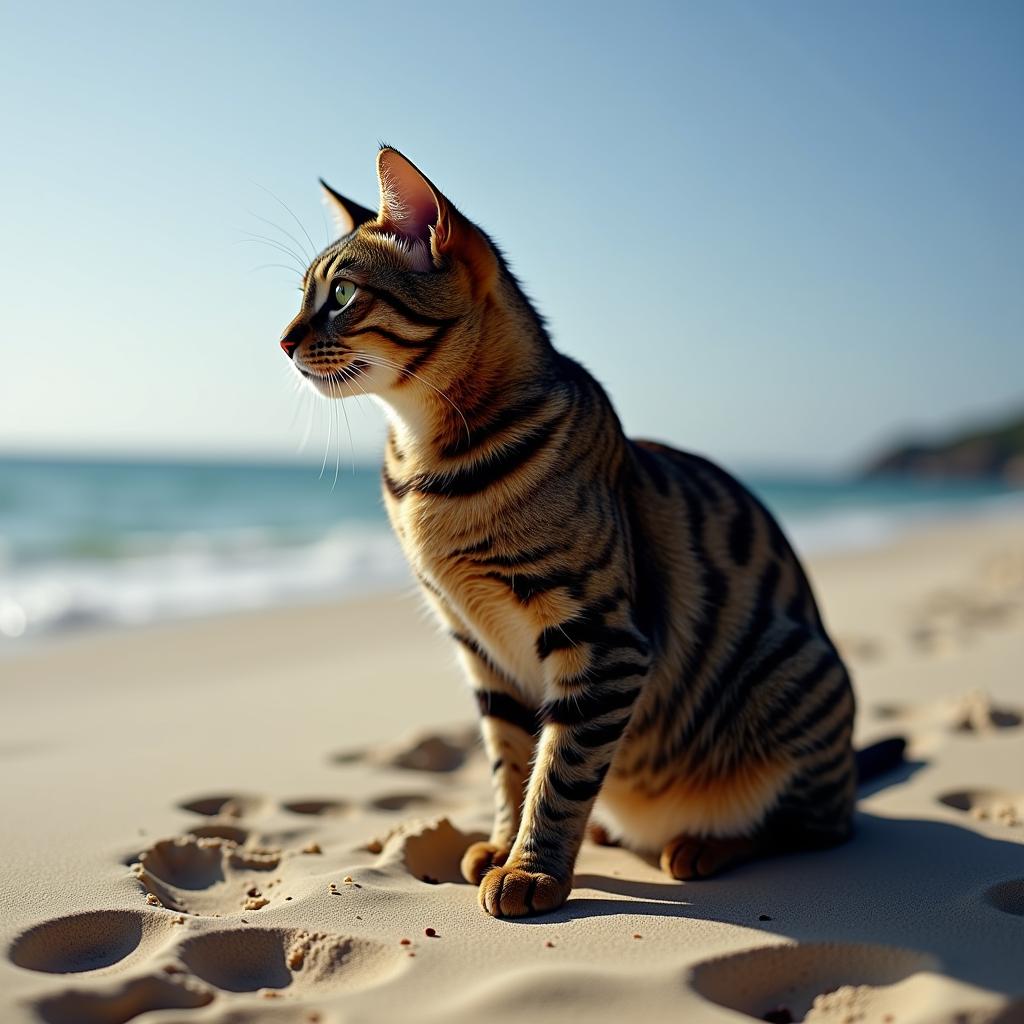
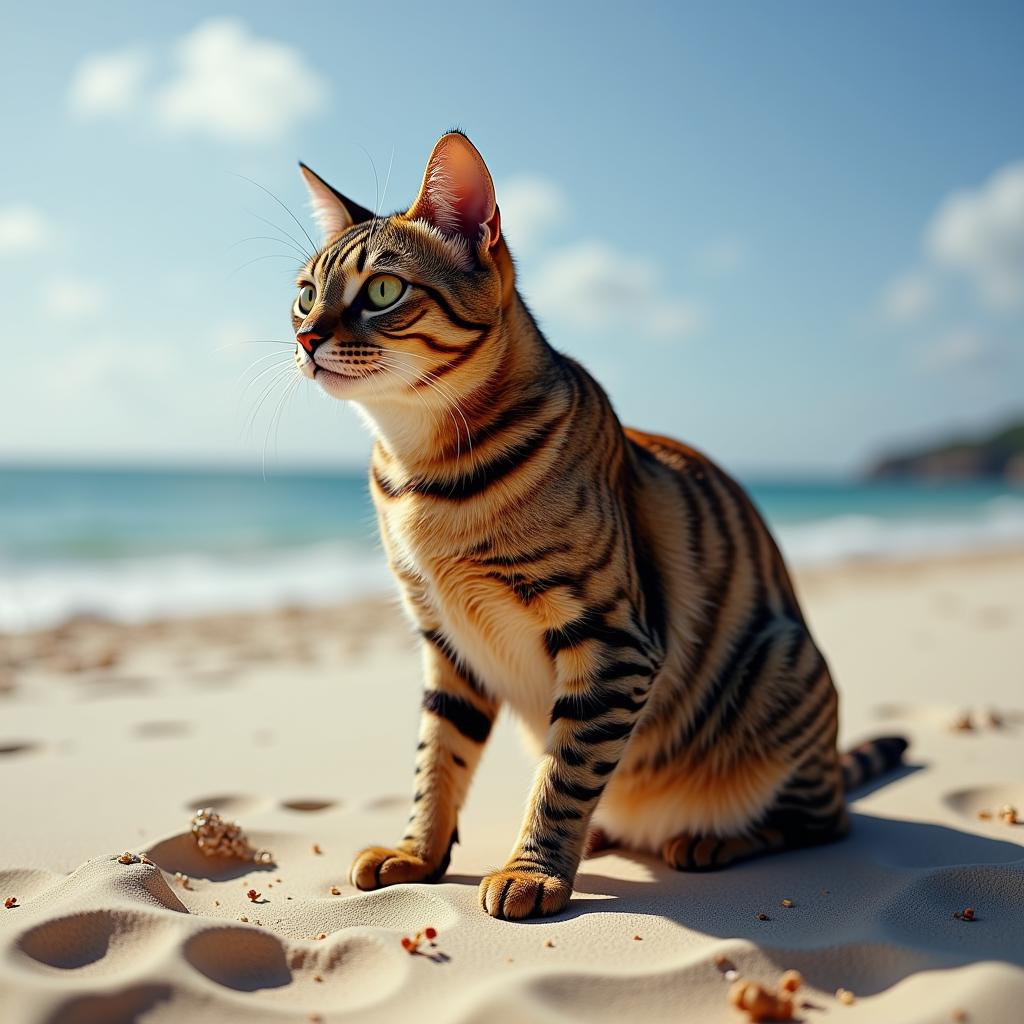
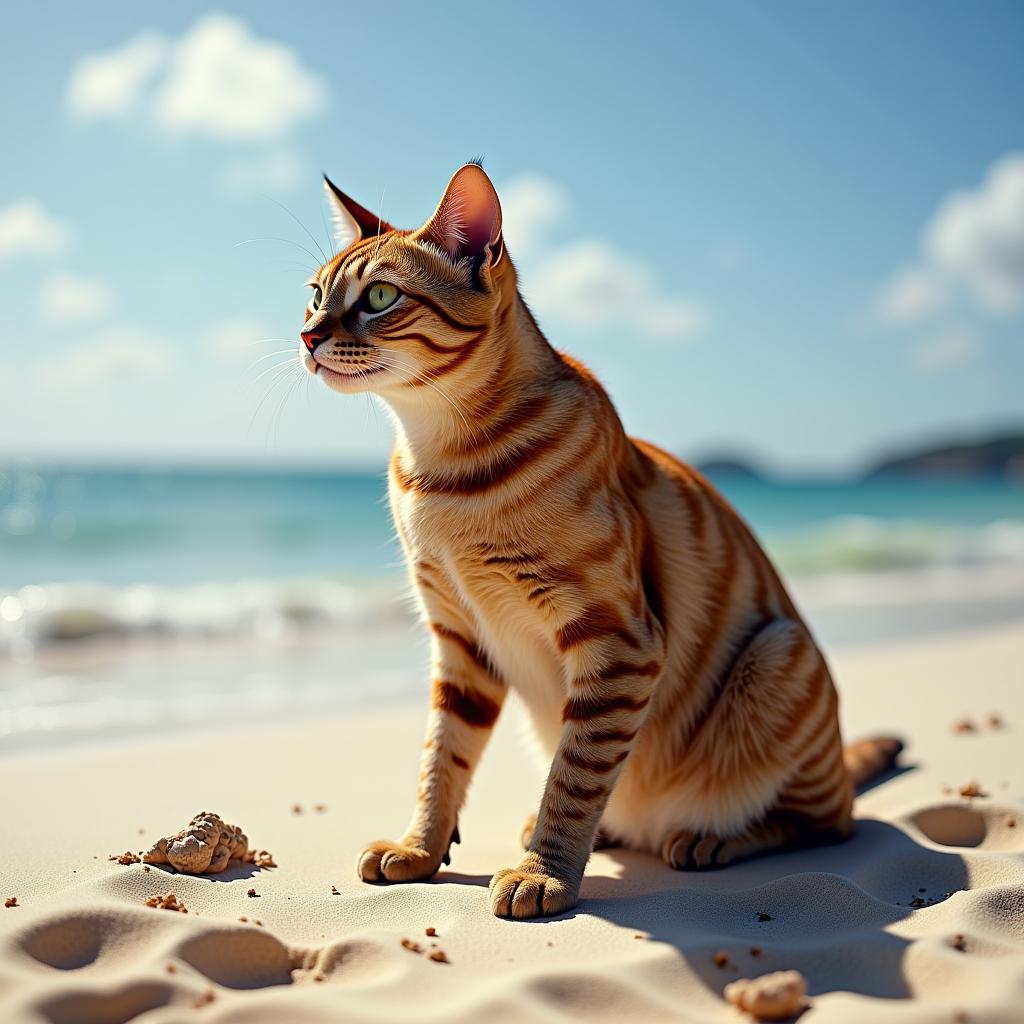
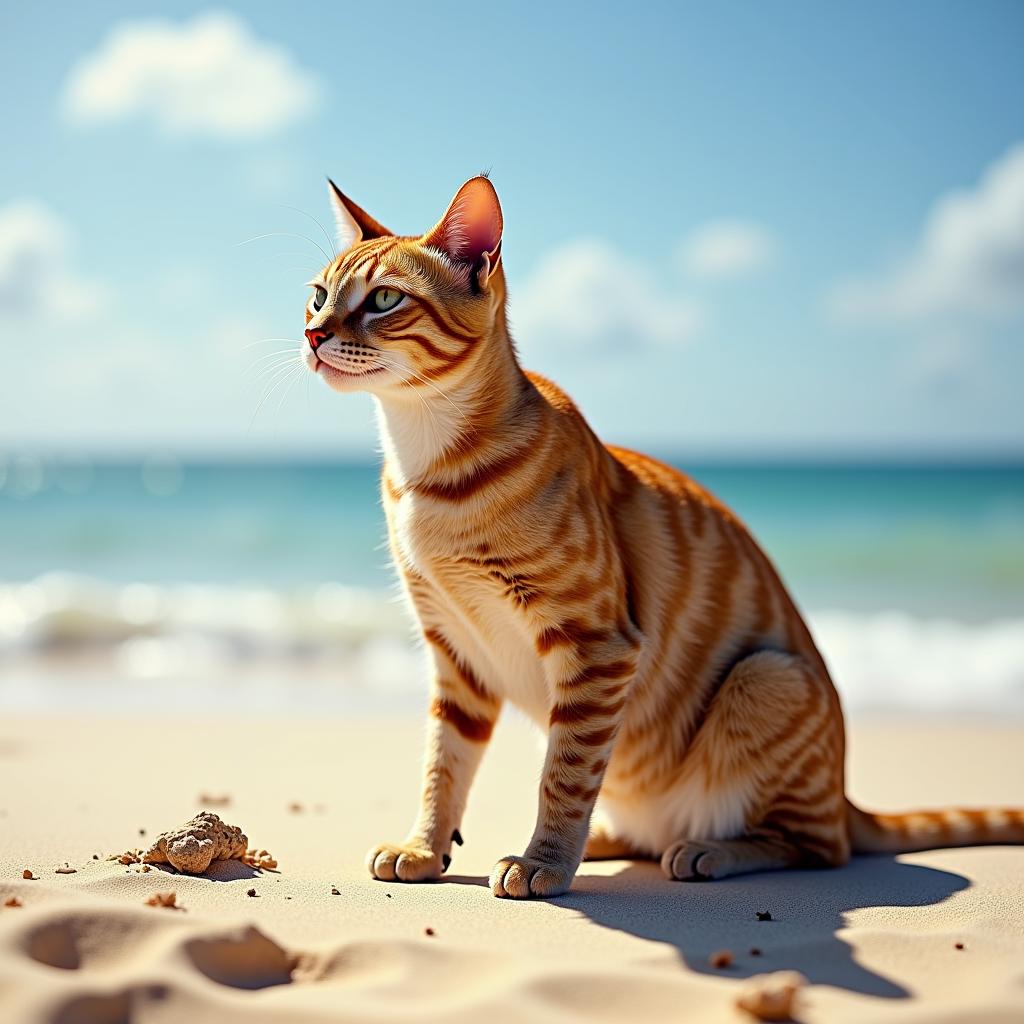
AttriCtrl: Attribute Intensity Control for Image Generation Models
- Paper: AttriCtrl: Fine-Grained Control of Aesthetic Attribute Intensity in Diffusion Models
- Sample Code: /examples/flux/model_inference/FLUX.1-dev-AttriCtrl.py
- Model: ModelScope
| brightness scale = 0.1 | brightness scale = 0.3 | brightness scale = 0.5 | brightness scale = 0.7 | brightness scale = 0.9 |
|---|---|---|---|---|
 |
 |
 |
 |
 |
AutoLoRA: Automated LoRA Retrieval and Fusion
- Paper: AutoLoRA: Automatic LoRA Retrieval and Fine-Grained Gated Fusion for Text-to-Image Generation
- Sample Code: /examples/flux/model_inference/FLUX.1-dev-LoRA-Fusion.py
- Model: ModelScope
| LoRA 1 | LoRA 2 | LoRA 3 | LoRA 4 | |
|---|---|---|---|---|
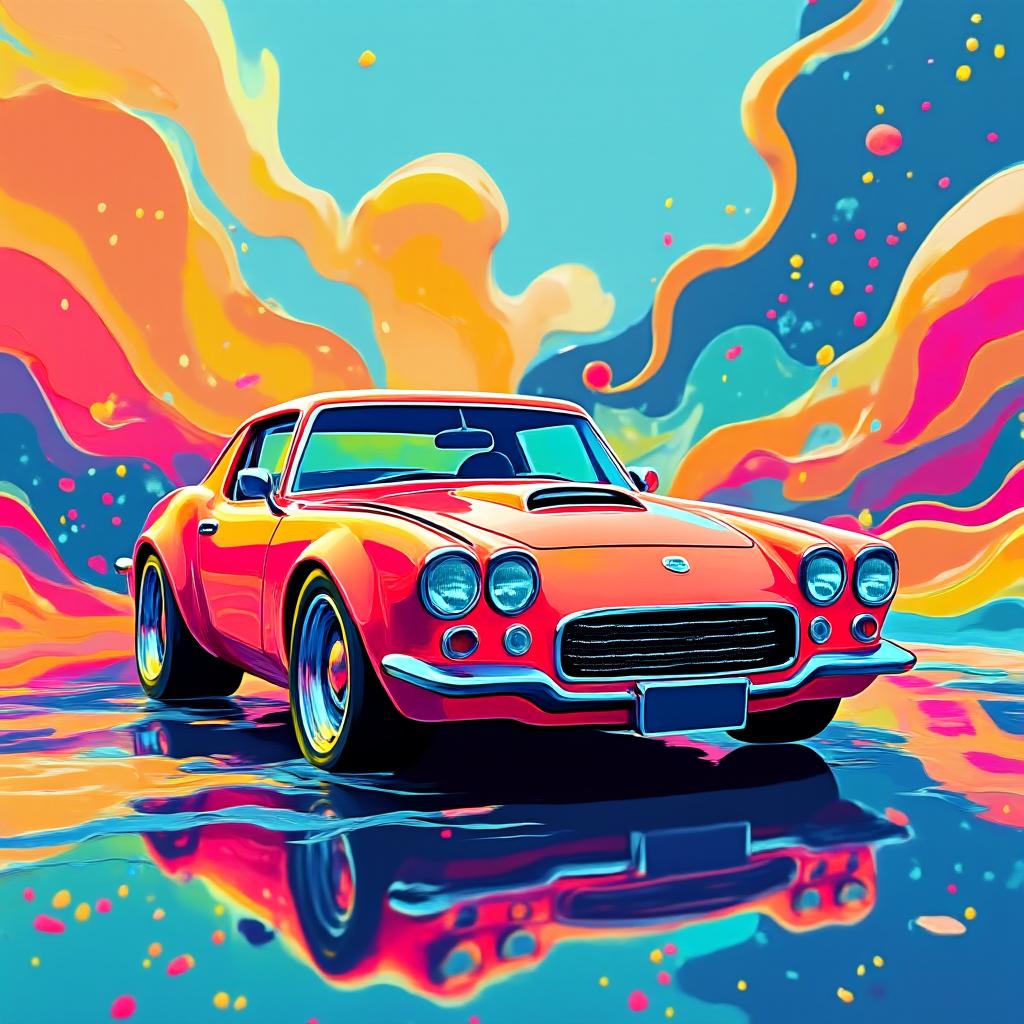
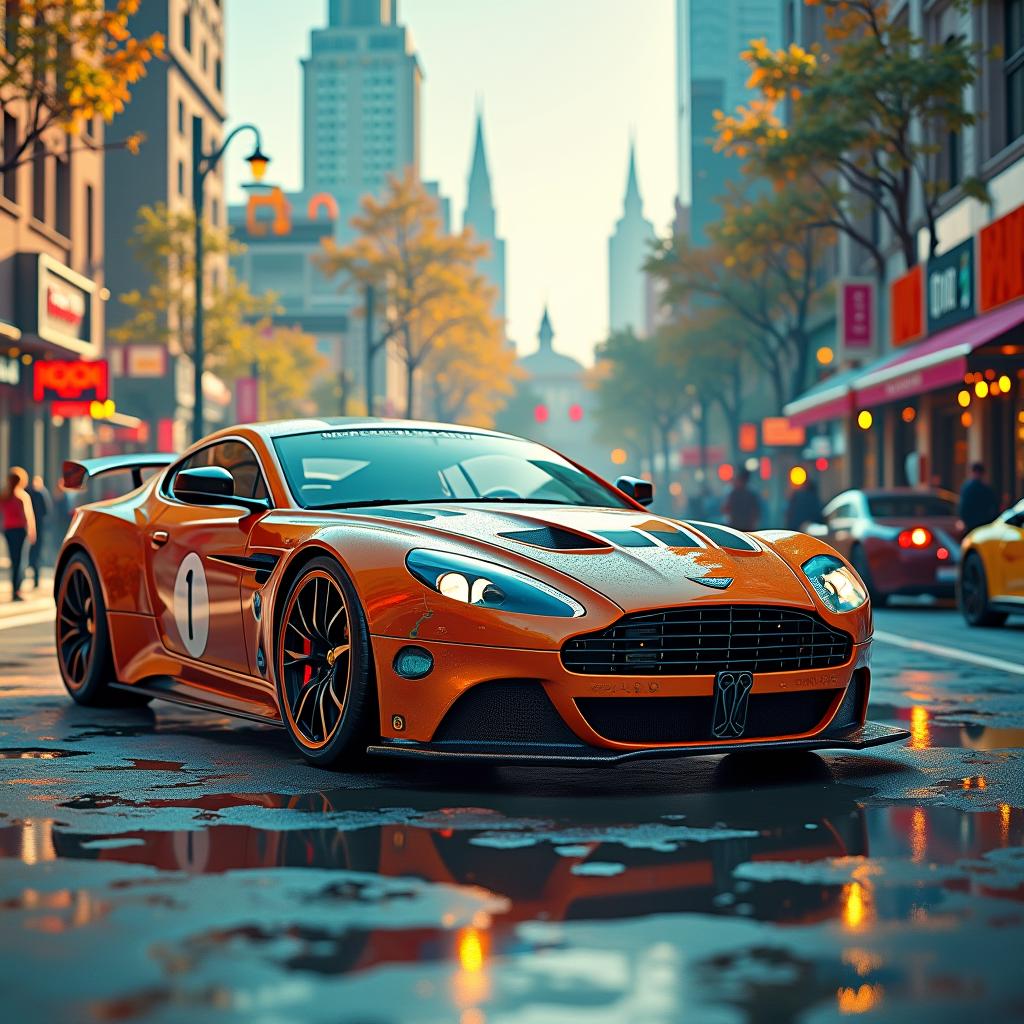
| LoRA 1 | 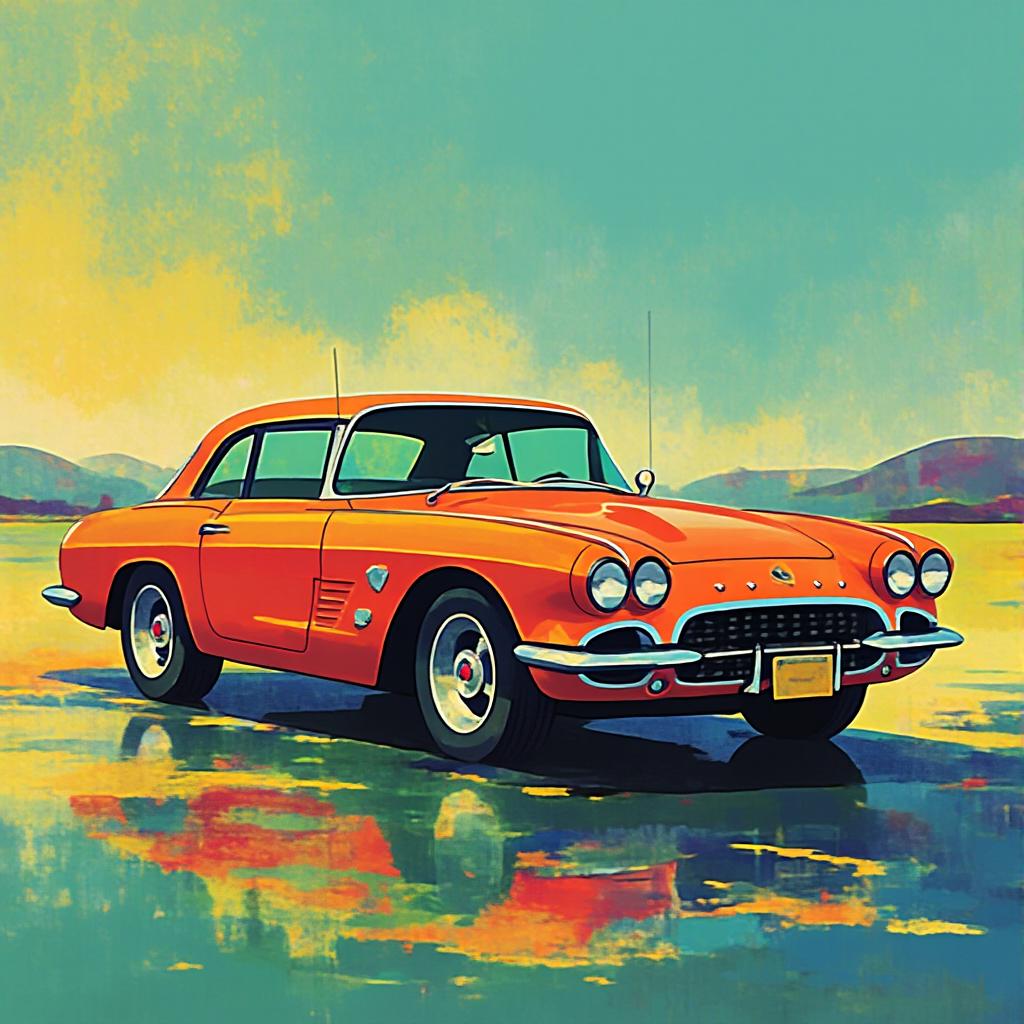 |
 |
 |
 |
| LoRA 2 | |
 |
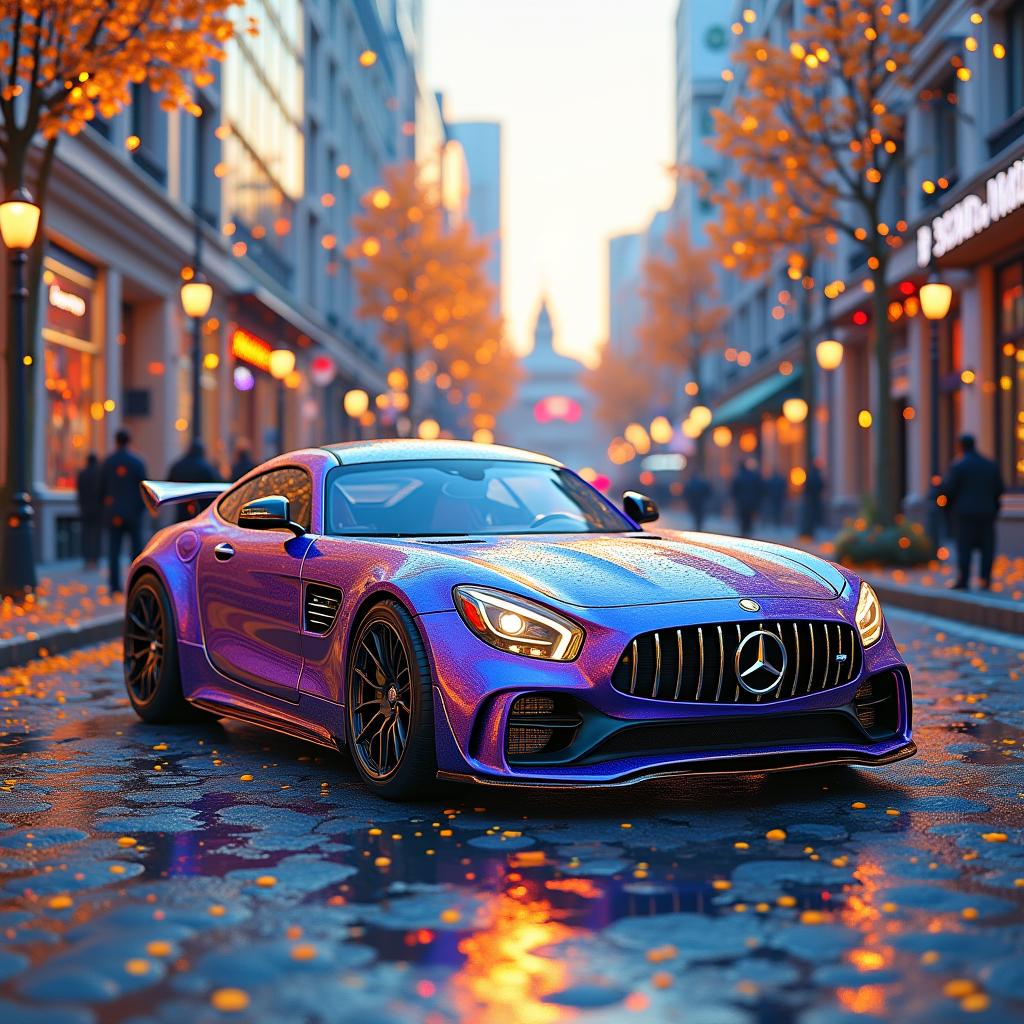 |
 |
| LoRA 3 | |
|
 |
 |
| LoRA 4 | |
|
|
 |
Nexus-Gen: Unified Architecture for Image Understanding, Generation, and Editing
- Detailed Page: https://github.com/modelscope/Nexus-Gen
- Paper: Nexus-Gen: Unified Image Understanding, Generation, and Editing via Prefilled Autoregression in Shared Embedding Space
- Model: ModelScope, HuggingFace
- Dataset: ModelScope Dataset
- Online Experience: ModelScope Nexus-Gen Studio

ArtAug: Aesthetic Enhancement for Image Generation Models
- Detailed Page: ./examples/ArtAug/
- Paper: ArtAug: Enhancing Text-to-Image Generation through Synthesis-Understanding Interaction
- Model: ModelScope, HuggingFace
- Online Experience: ModelScope AIGC Tab
| FLUX.1-dev | FLUX.1-dev + ArtAug LoRA |
|---|---|
 |
 |
EliGen: Precise Image Partition Control
- Paper: EliGen: Entity-Level Controlled Image Generation with Regional Attention
- Sample Code: /examples/flux/model_inference/FLUX.1-dev-EliGen.py
- Model: ModelScope, HuggingFace
- Online Experience: ModelScope EliGen Studio
- Dataset: EliGen Train Set
| Entity Control Region | Generated Image |
|---|---|
 |
 |
ExVideo: Extended Training for Video Generation Models
- Project Page: Project Page
- Paper: ExVideo: Extending Video Diffusion Models via Parameter-Efficient Post-Tuning
- Sample Code: Please refer to the older version
- Model: ModelScope, HuggingFace
github_title.mp4
Diffutoon: High-Resolution Anime-Style Video Rendering
- Project Page: Project Page
- Paper: Diffutoon: High-Resolution Editable Toon Shading via Diffusion Models
- Sample Code: Please refer to the older version
Diffutoon.mp4
DiffSynth: The Original Version of This Project
- Project Page: Project Page
- Paper: DiffSynth: Latent In-Iteration Deflickering for Realistic Video Synthesis
- Sample Code: Please refer to the older version


