

A .NET tool to manage Windows Sandbox instances through the Model-View-Controller (MCP) protocol.
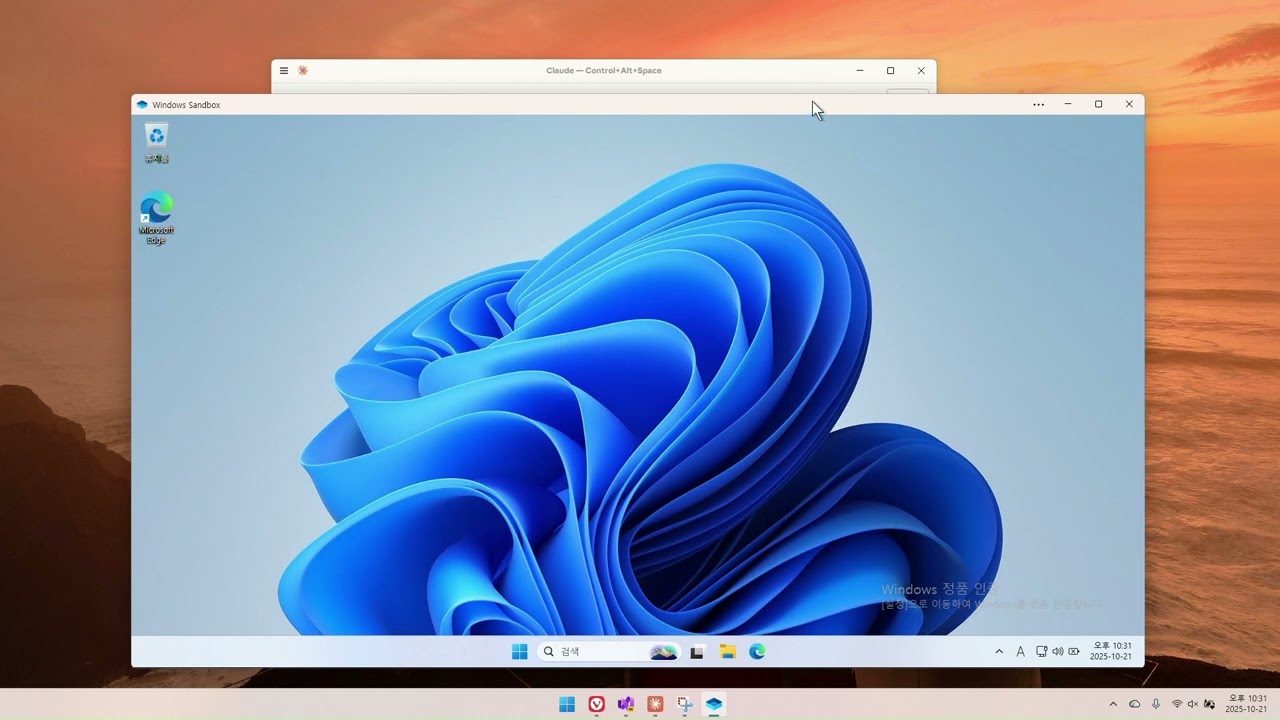
⚠️ EXPERIMENTAL PROJECTThis project is currently in experimental stage. It may contain bugs and limitations. We welcome feedback and testing, but use in production environments is not recommended at this time.
Please report issues and provide feedback to help improve the project!
⚠️ IMPORTANT: This tool requires Windows 11 24H2 or later. It does NOT work on Windows 10 or earlier versions of Windows 11.
This MCP server depends on the new Windows Sandbox architecture and the wsb.exe CLI tool, which are only available in Windows 11 24H2 and later versions.
- Windows 11 24H2 or later (required)
- .NET 10.0 SDK
- Windows Sandbox
dotnet buildThis MCP server can be used with any MCP-compatible client, including Claude Desktop and VS Code.
dotnet build -c ReleaseOpen the claude_desktop_config.json file located at:
%AppData%\Claude\claude_desktop_config.json
For everyday use, configure it as follows:
{
  "mcpServers": {
    "windows-sandbox": {
      "command": "dnx",
      "args": [
        "WindowsSandboxMcp",
        "--yes",
      ]
    }
  }
}
For development, configure it as follows:
{
  "mcpServers": {
    "windows-sandbox": {
      "command": "dotnet",
      "args": [
        "run",
        "--project",
        "D:\\projects\\WindowsSandboxMcp\\src\\WindowsSandboxMcp\\WindowsSandboxMcp.csproj"
      ]
    }
  }
}Open VS Code settings (Ctrl+,) and search for "MCP" or edit your settings.json directly:
For everyday use, configure it as follows:
{
  "servers": {
    "windows-sandbox": {
      "type": "stdio",
      "command": "dnx",
      "args": ["WindowsSandboxMcp", "--yes"]
    }
  }
}
For development, configure it as follows:
{
  "servers": {
    "windows-sandbox": {
      "type": "stdio",
      "command": "dotnet",
      "args": ["run", "--project", "D:\\projects\\WindowsSandboxMcp\\src\\WindowsSandboxMcp\\WindowsSandboxMcp.csproj"]
    }
  }
}
You must use an absolute path. You can check the absolute path of the project using the pwd command in PowerShell.
You must use an absolute path. You can check the absolute path of the project using the pwd command in PowerShell.
After saving the configuration file, completely close Claude Desktop and restart it.
Right-click the Claude icon in the system tray and select "Exit"
This MCP server provides programmatic control over Windows Sandbox through the following capabilities:
- Sandbox Lifecycle Management - Start and stop Windows Sandbox instances with custom configurations
- Command Execution - Execute commands and scripts inside the sandbox environment
- Shared Folders - Map host directories to the sandbox for file sharing
- Network Information - Retrieve network configuration and IP addresses
- Session Management - Connect to and monitor sandbox sessions
- Status Monitoring - Check if a sandbox is currently running
Note: The available tools and their parameters may change as the project evolves. Use your MCP client's tool discovery features to see the current list of available tools and their specifications.
You can ask Claude Desktop questions like:
- "Start a new Windows Sandbox"
- "Execute notepad in the sandbox"
- "Get network information for the sandbox"
- "Stop the sandbox"
- "Add a shared folder to the sandbox"
- "Is a sandbox currently running?"
This MCP server uses the new Windows Sandbox architecture introduced in Windows 11 24H2, which provides programmatic control through the wsb.exe CLI tool.
Dependencies:
- ModelContextProtocol (v0.4.0-preview.3) - Core MCP implementation
- Microsoft.Extensions.Hosting (v10.0.0) - Application hosting infrastructure
- System.Management (v10.0.0) - WMI integration for process management
- wsb.exe - Windows Sandbox CLI tool (built-in on Windows 11 24H2+)
Program.cs- Entry point and MCP server initializationWindowsSandbox.cs- High-level Windows Sandbox APIWindowsSandboxCliRaw.cs- Low-level CLI wrapperTools/WindowsSandboxTools.cs- MCP tool definitionsModels/- Configuration and data models
- Single sandbox instance management (prevents multiple sandboxes running simultaneously)
- Automatic connection and readiness detection
- Remote session window management
- WMI-based process detection for active sessions
This is an experimental project and we welcome contributions! If you encounter any issues or have suggestions for improvements, please:
- Open an issue on GitHub
- Submit a pull request
- Share your feedback and test results
Your contributions help make this project better for everyone!
This project is licensed under the Apache License 2.0 - see the LICENSE file for details.